

How to get a PAC code on every UK network


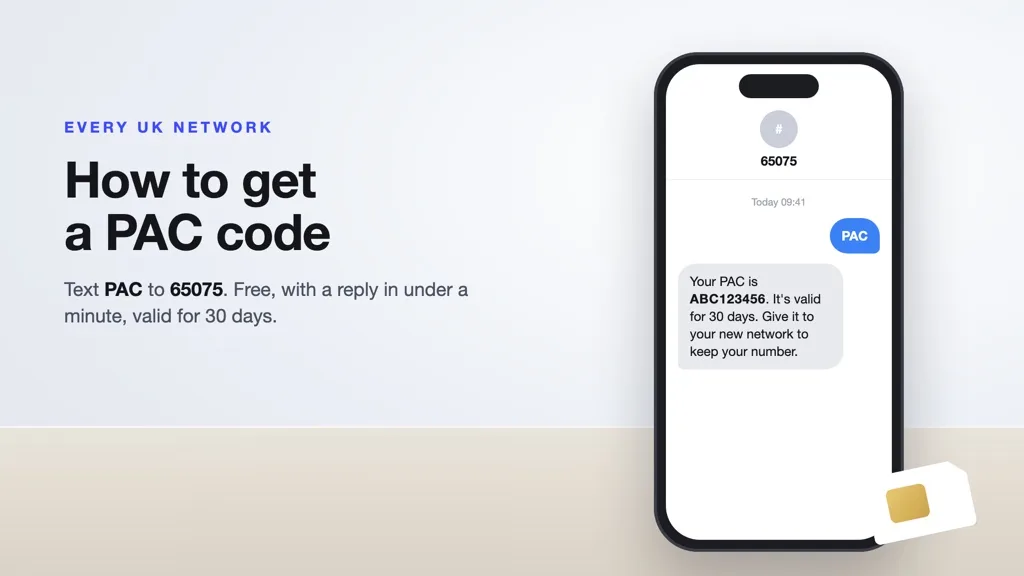
To get a PAC code, text PAC to 65075 from the phone number you want to keep. It’s free on every UK network, and the reply arrives within a minute. The code lasts 30 days. Give it to your new network and your number moves within one working day. It ends your airtime contract, not your phone loan.
If you’re leaving with a phone that isn’t paid off yet, our guide to selling a phone that’s still on contract covers the device plan side network by network. And if the switch frees up a phone, you can sell your iPhone, sell your Samsung Galaxy or sell your Google Pixel once your number has moved.
If you’re leaving EE, O2 or Vodafone, each has its own guide: EE PAC code, O2 PAC code and Vodafone PAC code.
What is a PAC code?
A PAC (Porting Authorisation Code) is the code that moves your mobile number from one UK network to another. Your current network issues it and your new network uses it to take the number over. It’s nine characters long: three letters followed by six numbers.
You only need a PAC if you’re keeping your number. If you’re happy with a new number, you need a STAC instead (more on that below).
How to get a PAC code by text, step by step
Since 2019, Ofcom’s text-to-switch rules have made every UK network answer the same short texts. That means the steps below work whether you’re with EE, O2, Vodafone, Three or a smaller network. The whole process takes five steps and the first one costs you nothing to check.
1. Check your exit fees first
Text INFO to 85075. The reply tells you whether you’re still in contract and what you’d pay to leave. Nothing changes on your account. Do this first so the PAC reply holds no surprises.
2. Text PAC to 65075 from the number you’re keeping
Send the text from the SIM whose number you want to move. Some networks ask for your date of birth too, in DDMMYY format after the word PAC. The reply tells you if yours does.
If your account has more than one number, the text often won’t work. Use your network’s app or call them instead (the network list below shows how).
3. Read the reply: your code, exit fees and credit
Your network must reply within one minute. The text holds your PAC, its expiry date, any early termination charges and any pay as you go credit left. Keep it until the switch is done.
4. Give the code to your new network
Enter the PAC when you order your new SIM, or on your new network’s transfer page once it arrives. You get a temporary number until the switch goes through. Your new network must complete the switch within one working day of getting the code.
5. Keep your old SIM in until switch day
Don’t cancel your old plan. The switch closes your old airtime contract for you, and your old network can’t charge you a notice period after the switch date. Once the new SIM shows your old number, the old SIM can go.
PAC vs STAC: which code you need
Both codes come from the same text service and both last 30 days. The difference is what happens to your number. A PAC takes it with you. A STAC (Service Termination Authorisation Code) leaves it behind, and your new network gives you a fresh one.
| PAC | STAC | |
|---|---|---|
| Your number | Moves to the new network | Stays behind, you get a new one |
| How to get it | Text PAC to 65075 | Text STAC to 75075 |
| Valid for | 30 days | 30 days |
| Your old plan | Ends when the switch completes | Ends when your new network uses the code |
A STAC on its own does nothing. If you request one and never join a new network, your old plan stays open and you keep paying for it.
How long a PAC code lasts and how long the switch takes
A PAC is valid for 30 days from the day you get it. If it expires, text PAC to 65075 again for a new one. An unused code doesn’t close anything, so your old plan carries on and you’re billed as normal.
The switch itself happens within one working day of your new network getting the code. Weekends don’t count, so a code given on a Friday usually moves your number on Monday. If a switch runs late or you’re left without service for longer than allowed, your provider may have to compensate you.
O2 and giffgaff let you request a PAC for up to 30 days after you’ve left. After that, there’s no guarantee the number is still there.
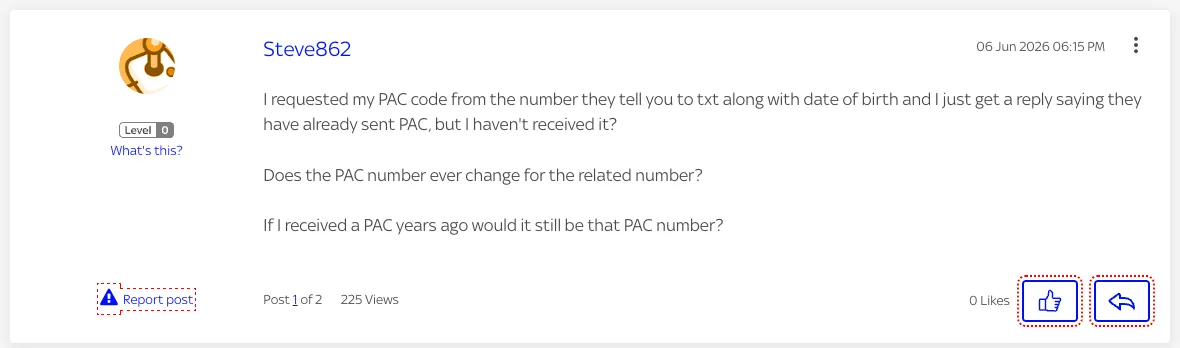
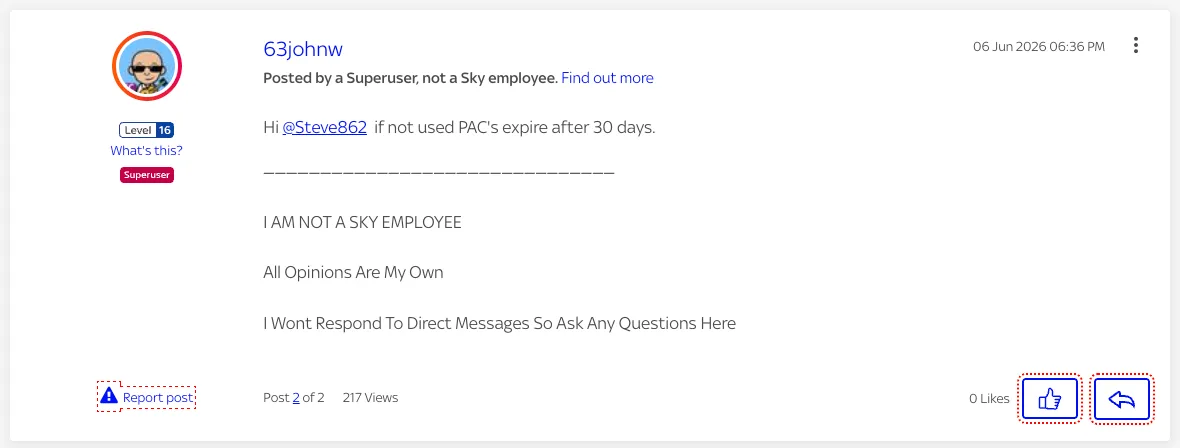
Source: Sky Community, June 2026
PAC code for each network
Texting PAC to 65075 works on every UK network. Each network also has its own routes, which you’ll need if your account has more than one number or the text doesn’t come back.
O2 PAC code
Text PAC to 65075, or sign in to My O2 and request it there. O2 says the code arrives within 60 seconds. You can still request one for up to 30 days after leaving. Our O2 PAC code guide covers the 24-month Device Plan rule in full.
Vodafone PAC code
Call 0333 3040 191 or start an online chat from Vodafone’s contact page. You can see your leaving fee in My Vodafone before you go. Our Vodafone PAC code guide explains what happens to your Device Plan.
EE PAC code
With one number, text PAC to 65075. With more than one, request it online in your EE account or call 150 from an EE phone. Our EE PAC code guide covers Flex Pay and what leaving EE costs.
Three PAC code
Request it in My3 or the Three app, on Live Chat, or by calling 0333 338 1082. If you have more than one number with Three, you need to call. The reply shows the code’s expiry date and any early termination fee.
giffgaff PAC code
Text PAC to 65075 for free, call 43431, or request it from your profile and settings page. You can ask for a PAC up to 30 days after leaving, and it lasts 30 days from the day it’s issued.
Tesco Mobile PAC code
Text PAC to 65075 for free from your Tesco Mobile phone. With more than one number, go to My Account, then “View or Change my account details”, then “Leaving Tesco Mobile?”, or contact Customer Care.
Sky Mobile PAC code
Text PAC to 65075 with your Sky SIM in the phone. Sky’s guide to leaving Sky Mobile lists the routes for accounts with more than one SIM.
iD Mobile PAC code
Text PAC and your date of birth (DDMMYY) to 65075, or use the Leave iD option in the iD Mobile app.
PAC code for VOXI, SMARTY, Lebara and other networks
Text PAC to 65075 from the SIM you’re leaving. Ofcom’s switching rules cover every UK mobile network, so the same text works everywhere.
Does a PAC code cancel your contract?
Requesting a PAC cancels nothing. Using it does: once your new network completes the switch, your airtime contract with the old network ends. Ofcom bans your old network from charging a notice period after the switch date.
If you’re still inside your minimum term, you pay an early termination charge, and the PAC reply tells you how much. What a PAC does not end is the money you owe on your phone.
What the PAC text doesn’t tell you about your phone
If your phone came with a contract from EE, O2, Vodafone or Three, you’re most likely paying for it on a device plan. That’s a separate credit agreement from your airtime plan, and switching network ends the airtime only.
Ofcom’s switching guidance says the reply text must show early termination charges and your credit balance. It doesn’t mention the money still owed on your phone. That’s the number most switchers need, because it decides what happens next:
- You leave after your airtime minimum term. On most networks the device plan carries on, and you keep paying it monthly.
- You leave inside your minimum term. You can be asked to pay off the rest of the phone in one go. On O2 Refresh plans taken out from 17 December 2021, ending the airtime in the first 24 months means paying off the device plan in full.
- You close the whole account. Phones added to the same account have to be paid off too, because the device plan needs a live account to run on.
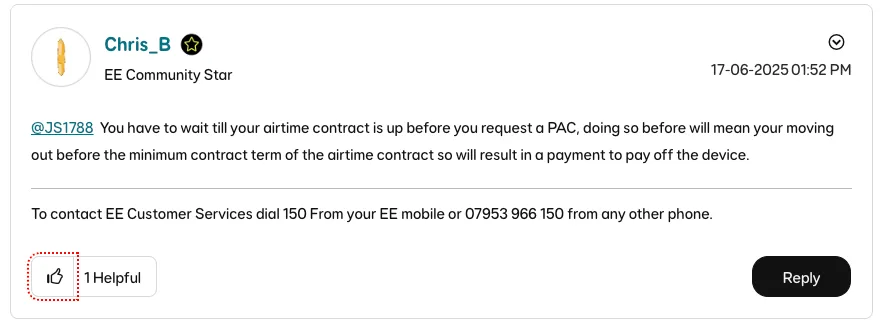
This catches people out. One EE customer expected to keep paying their phone monthly and found the PAC request asking for the lot:
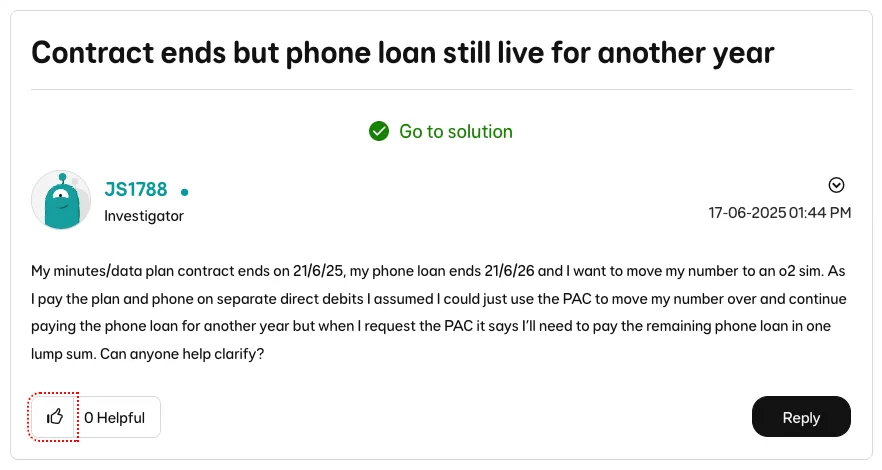
Source: EE Community, June 2025
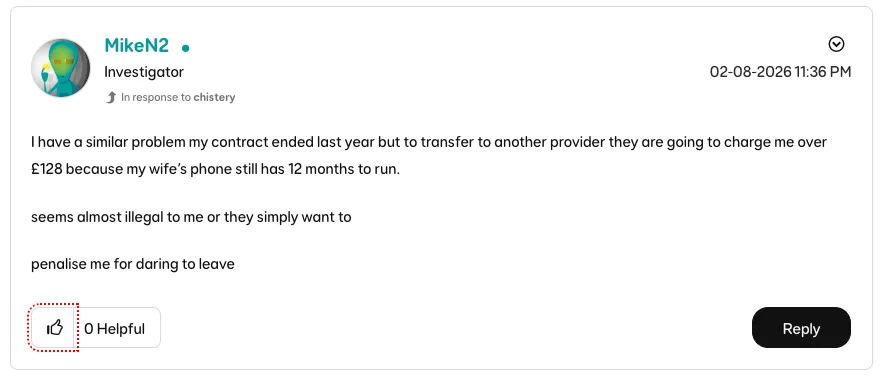
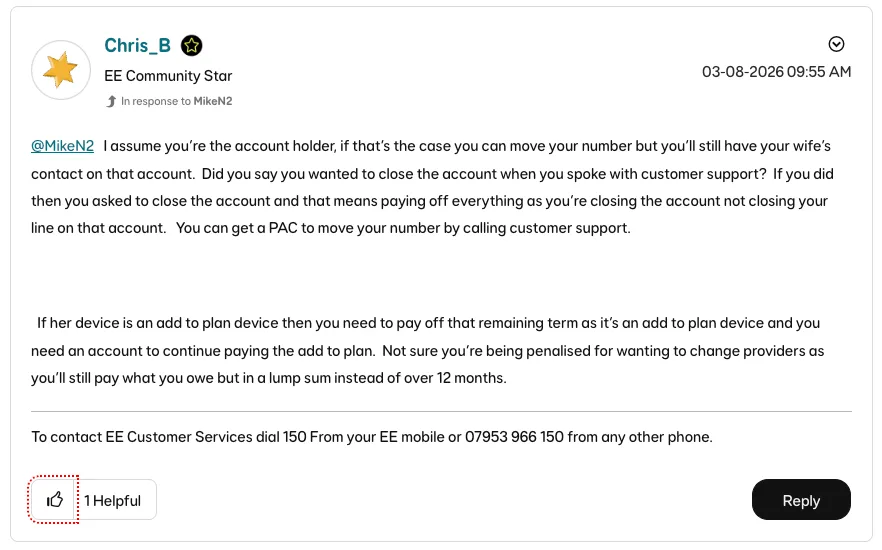
The same thread picked up a second case in August 2026, this time a family member’s phone left on the account:
Before you text for a PAC, ask your network for a settlement figure on the phone. That’s the lump sum that clears the device plan today, and it’s usually in your account app. Then you can choose: keep paying monthly, or clear it with the money from selling the phone. Whatever you choose, don’t stop paying. A network can block the phone’s IMEI on every UK network if the device plan goes unpaid.
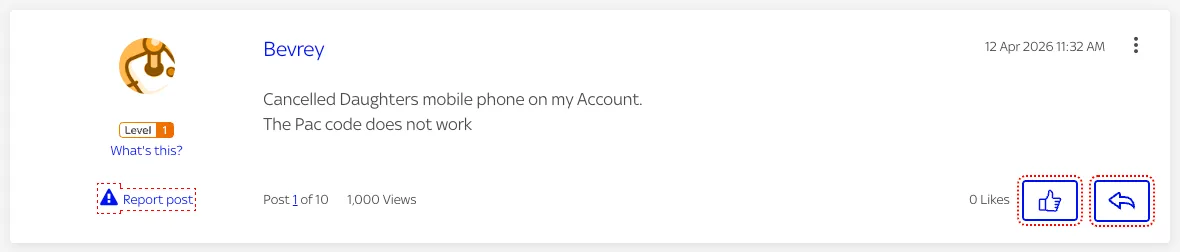
Why your PAC code might not work
A PAC that won’t go through usually has one of the causes below. The fix is most often a new code, or a call to your new network to ask why the transfer was rejected.
- The code has expired. PACs last 30 days. Text PAC to 65075 again for a new one.
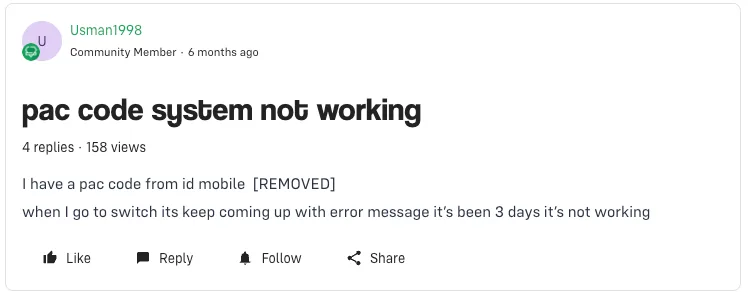
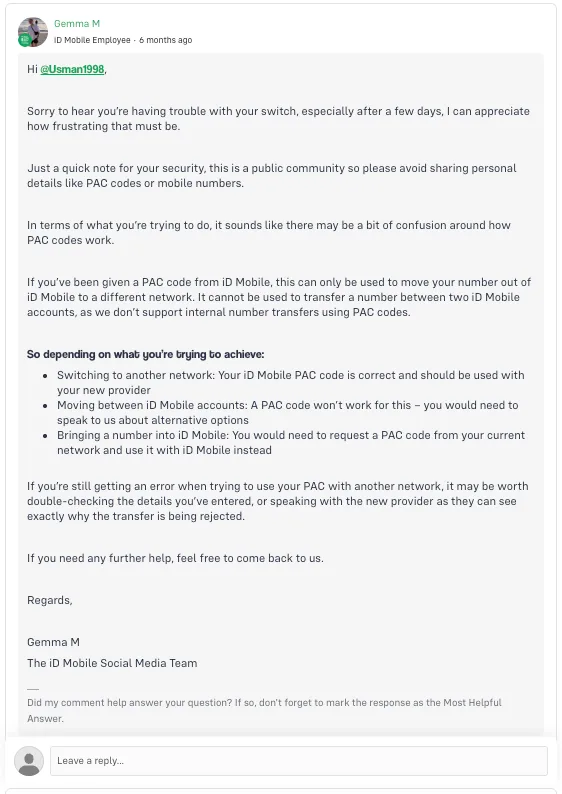
- You gave it to the same network. A PAC only moves a number to a different network. It can’t move a number between two accounts on the same network.
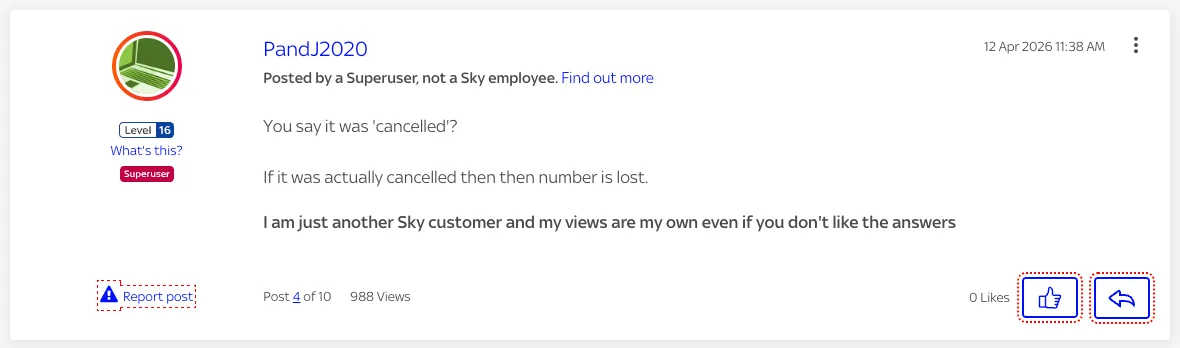
- The old line was cancelled first. If you cancelled before switching, the number can be lost for good. Request the PAC, switch, and let the switch close the old plan.
- Your account has more than one number. The text service often won’t answer. Use your network’s app or call them.
- The details don’t match. Check the code and the number you entered with your new network. If it still fails, ask your new network why the transfer was rejected.
Source: Sky Community, April 2026
Source: iD Mobile Community, April 2026
What to do with your old phone after you switch
Switching with a new contract phone leaves the old one spare. Before it goes anywhere, it needs to be unlocked, signed out and wiped, otherwise the next owner can’t use it:
- Check it’s unlocked and clean. Phones sold by UK networks since 17 December 2021 come unlocked. Run the IMEI through our IMEI checker to confirm it isn’t blacklisted.
- Back it up and wipe it. Sign out of iCloud or your Google account first, then reset it. Here’s how to wipe your iPhone before selling.
- Sell it, keep it as a spare, or recycle it. If it’s too old to sell, here’s how to recycle a phone in the UK.
If you’re selling the old phone once the switch is done, get an instant quote to sell your iPhone, sell your Samsung Galaxy or sell your Google Pixel.
PAC code FAQs
Is texting PAC to 65075 free?
How long does it take to transfer my number?
Will I lose service when I switch?
Can I get a PAC code on pay as you go?
What happens if my PAC code expires?
Can I get a PAC code after I've left my network?

Sell your device
Sell your preloved devices instantly at the best price on the market with same-day payment!
Sell Now