

The complete guide to recycling a phone, tablet or laptop in the UK


Recycling an old phone, tablet or laptop means sending it to a collection point that recovers the materials inside, rather than putting it in a bin where its battery can start a fire. Which route is open to you depends far less on where in the UK you live than most people assume, and far more on your own council. This guide covers what the rules actually require of you, how to check what your council collects, how to wipe each device properly, and how to handle a battery that has started to fail.
If your device is already swollen, or getting hot when you are not using it, go straight to the battery section and see how to handle it.
Which route is right for you and your devices
Before you pick a recycling point, answer one question: does the device still work? If it does, selling or donating it is almost always better than recycling, because a working phone, tablet or laptop has real value and someone else can use it. If it is dead, damaged or swollen, recycling is the right call, and a swollen device needs the extra care set out in the battery section below. Either way, wipe your data first. In short: working device, consider selling or donating; broken device, recycle it; swollen or overheating device, handle it carefully and take it to a recycling centre.
UK government guidelines on recycling electronics
Electrical recycling in the UK is governed by the WEEE Regulations 2013, and there is one thing about them worth knowing before you read anything else. They place no legal obligation on you as a householder. They bind manufacturers, retailers, treatment plants and exporters. A 2025 amendment was made with the consent of all four administrations and applies across England, Scotland, Wales and Northern Ireland.
That matters because it changes what you are actually looking for. You are not trying to comply with a rule. You are trying to find the route that is free, close and safe, and those are set by your council and by the shops near you.
The one thing that genuinely changes by nation is which service tells you where your nearest drop-off point is:
| Where you live | Locator |
|---|---|
| England and Northern Ireland | Recycle Now |
| Wales | Wales Recycles |
| Scotland | Zero Waste Scotland |
| Anywhere in the UK | Recycle Your Electricals, around 30,000 points |
The UK-wide one is the most useful for electricals specifically, and it is the locator NI Direct points people to.
Sidenote. The gov.uk collections lookup covers England and Wales only. In Scotland or Northern Ireland it will not find you.
Check what your own council collects
Councils vary more than any other part of this. Find your council’s recycling page and check four things: whether it collects small electricals at the kerb, whether screens and laptops are excluded, whether the recycling centre needs booking, and what bulky collection costs. Charges for bulky collection run from free to over £50 depending on where you live, so it is worth the two minutes.
One thing to look for specifically. Most kerbside schemes exclude screens and laptops, so the devices worth the most money and holding the most personal data are usually the ones you have to take somewhere yourself.
Other free routes to recycling electronics
Your council is not the only option, and shops have obligations most people never hear about. A shop with at least 400 square metres of electrical sales floor must take very small waste electricals off you free, with no obligation to buy anything. Very small means nothing longer than 25cm on any side, which covers every phone and most tablets. If you are buying a replacement, any retailer must take the equivalent old item back free of charge.
Some go further than the law asks. Currys, B&Q, Waitrose and John Lewis all accept small electricals with no purchase at all, and Currys takes drop-offs regardless of where the item was bought. Asda, Morrisons and Tesco host small electricals banks in their car parks, with a chute around 52cm across.
Wipe your data before the device leaves your hands
This is the step almost nobody tells you about. We looked at twelve council electricals pages and one of them mentioned data at all. Edinburgh invites laptops and phones into a carrier bag at the kerb without a word about what is on them.
People know it matters. ICO research from December 2024 found that 29% of UK adults do not know how to erase data from an old device, 75% have kept at least one rather than deal with it, and 20% held onto one specifically because they were worried about their information. The average UK adult has three unused devices at home.
The job is smaller than the internet suggests. The National Cyber Security Centre’s position is direct: use Erase All Content and Settings on iOS or a factory reset on Android, and “in nearly all cases, this kind of factory reset is all you’ll need to do.” Modern phones and tablets encrypt their storage by default, so the reset destroys the keys along with the data.
Wiping your phone or tablet
Work through these in order:
- Back up anything you want to keep. Photos, messages and app data all disappear once the reset runs, so save them first.
- Sign out of your accounts and turn off the anti-theft lock. This is the step people skip, and it is the one that matters most. On an iPhone, turn off Find My iPhone. That releases the Activation Lock, which otherwise keeps the phone tied to your Apple ID and useless to whoever gets it next. On Android, remove your Google account. That switches off Factory Reset Protection, which is the same kind of lock and blocks anyone from setting the phone up without your login.
- Run the factory reset. On an iPhone, go to Settings, then General, then Transfer or Reset iPhone, then Erase All Content and Settings. On Android, go to Settings, then System, then Reset, then Erase all data. This puts the phone back to how it came out of the box.
- Take the SIM out. It holds your number, and on older SIMs some of your contacts too.
- Take out any microSD card. This is an Android thing, as iPhones do not have them. A reset leaves the card untouched, so anything on it stays there unless you remove it.
Steps 4 and 5 come from Material Focus, which developed its guidance with the NCSC. They are easy to forget once the device has reset and looks clean.
Wiping your laptop
Laptops need one extra check. On a Mac without a T2 chip, if encryption was never turned on, a secure erase cannot be guaranteed to have removed everything. So turn on FileVault if you are on a Mac, or BitLocker if you are on Windows, and then run the reset. And reformatting the drive on its own is not enough, because reformatted data can still be recovered with software that anyone can download for free.
How to recycle your phone
Phones are the easiest of the three to move on, because they’re small. A phone easily qualifies for the free drop-off described above, so you can walk into any large electrical retailer and hand it over without buying anything. Most councils that run kerbside collections accept phones too, and every recycling centre takes them.
The battery is sealed in, so recycle the whole handset rather than trying to separate anything out. Take the SIM before it goes.
If the phone still works, it is worth pausing before you recycle it. A working handset usually has real resale value, and a tired battery or a cracked screen does not automatically cancel that out.
Selling privately is where people get caught. Online marketplaces carry a genuine risk of fraud in both directions, and a phone is one of the most commonly targeted items. We built vendi so that neither side has to take that on trust. Every device is checked by our own team before money moves, which protects the person selling and whoever ends up using it afterwards. If your phone is in working you can sell your phone and monetise that.
How to recycle your tablet
Most tablets are small enough that the free retailer drop-off applies. The largest ones, like the big iPad Pro, are just over the size limit, so a shop is only obliged to take one if you are buying a replacement. In practice the retailers listed above will usually take it anyway, but the legal footing is different and it is worth knowing which you are relying on.
Kerbside collection is patchier for tablets than for phones. Where your council uses the carrier bag test, a tablet passes. Where it excludes screens, a tablet is often caught by that exclusion even though people think of it as a small device.
One thing specific to tablets. They carry the largest battery relative to their body, and the case is rigid enough that it does not flex. When a tablet battery starts to fail, the pressure pushes the screen out of the frame rather than bowing the chassis, usually starting at the bottom corners.
Working tablets hold their value well, and the same caution about private sales applies. You can sell your tablet if it is still in working.
How to recycle your laptop
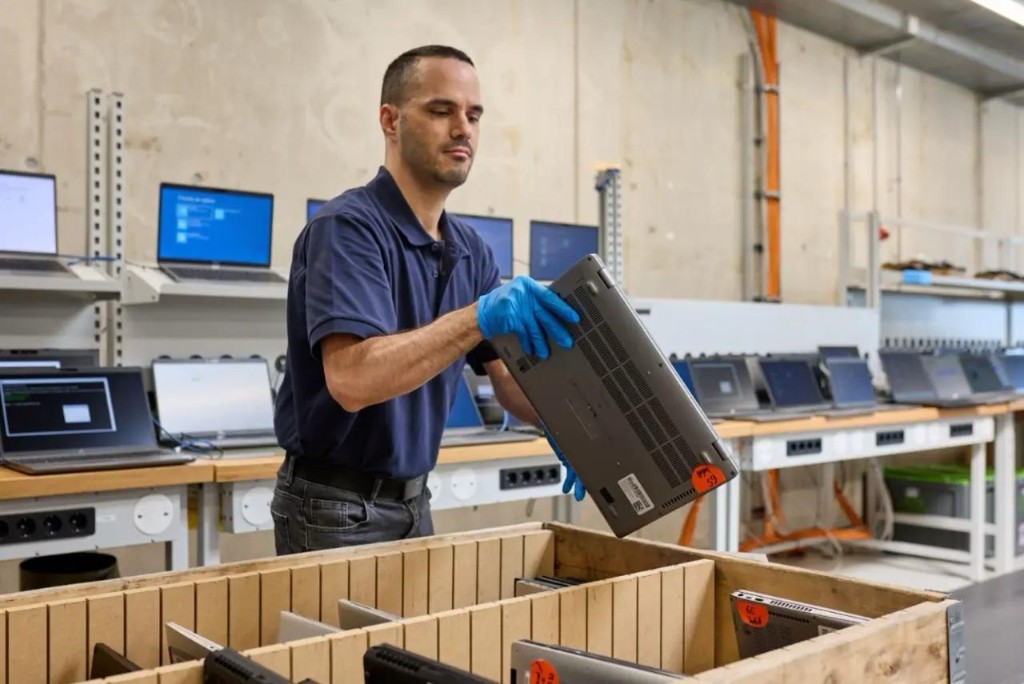
Laptops have the fewest free routes of the three, which catches people out. They are too big to count as a small electrical, so no shop has to take one unless you are buying a replacement. And they are excluded from nearly every kerbside collection in the country. That leaves the recycling centre, a retailer you are buying from, a reuse charity, or selling it.
They also carry the highest data risk. A laptop holds years of documents, saved passwords and browser sessions, and it is the device most likely to be handed on without a proper wipe. Follow the laptop steps above, and turn encryption on before you reset if it was never enabled.
If you would rather it went to someone who needs it, several charities will send you a free postage label. Little Lives UK takes laptops in any condition, including non-working, and emails a label within twelve hours. The British Heart Foundation sends a free postal label or a Collect+ code. The Turing Trust takes laptops and desktops under ten years old, wipes them to a recognised government standard and issues certificates.
A certificate matters more than it sounds. If the laptop held work files, client data or anything sensitive, a data-destruction certificate is your written proof the drive was wiped to a recognised standard, which is worth asking for if you are ever obliged to show the data was dealt with properly. The Turing Trust issues one as standard. For an ordinary personal laptop the factory reset above is enough and no certificate is needed, but if data was the reason you have held onto the device, this is the route that closes it off.
Two corrections, because plenty of guides get these wrong. Oxfam does not accept smartphones or tablets and says so on its own donations page. The Turing Trust does not take phones or tablets, only computers.
A working laptop is usually the most valuable device in the drawer, and scrapping one that still runs is the most expensive mistake in this guide. If yours works, sell your MacBook before deciding.
How to deal with the lithium battery fire risk
Every phone, tablet and laptop contains a lithium-ion battery, and that battery is the reason none of them belong in a household bin. This section covers why they catch fire, how to spot one going wrong, and what to do about it.
Why lithium batteries catch fire
When a lithium cell is crushed, punctured or badly damaged, it can short-circuit internally. That releases heat, which damages more of the cell, which releases more heat. Once that cycle starts it does not need oxygen or an external flame to keep going, and it is very difficult to stop. This is why a bin lorry is such a common ignition point: compaction crushes hidden cells by design.
The numbers are worse than most people expect. UK fire services recorded over 1,200 battery fires in bin lorries and waste sites in a single year, up 71% on the year before, with 94% of local authorities calling it a growing problem. Around 1.1 billion electricals with hidden lithium batteries have been binned. The Environmental Services Association puts the annual cost of these fires at over £1bn, up from £150m in 2021.
The practical rule that follows: never bin an electrical item, and never apply pressure to one you suspect is failing.
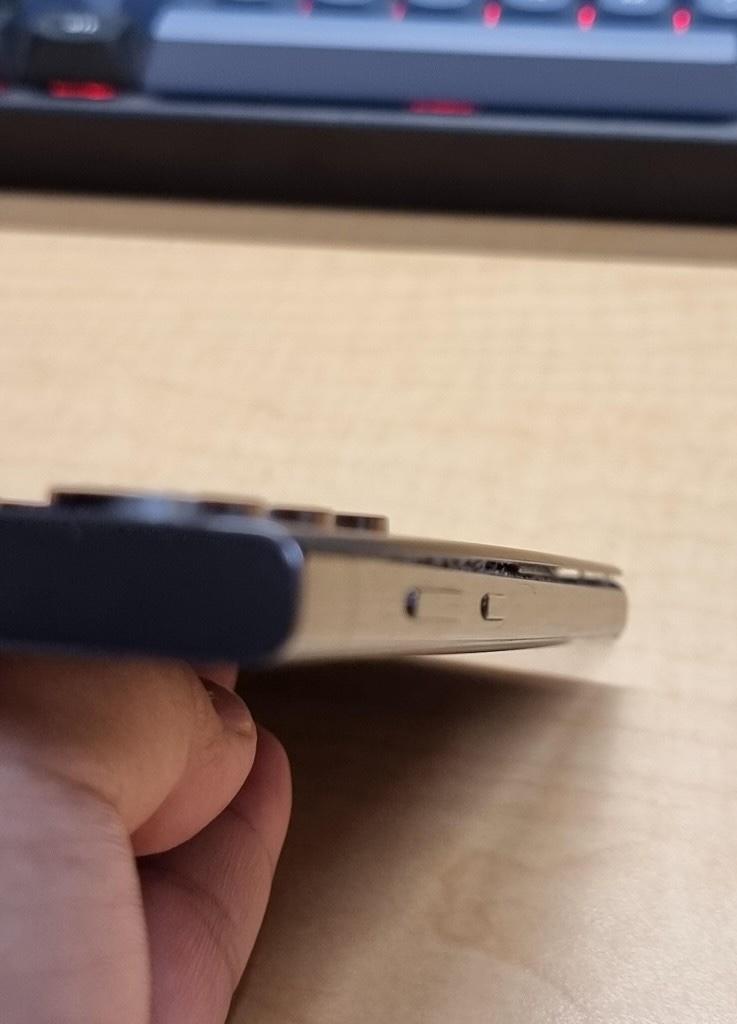
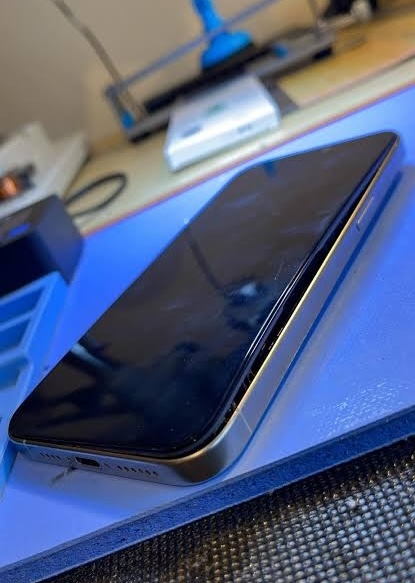
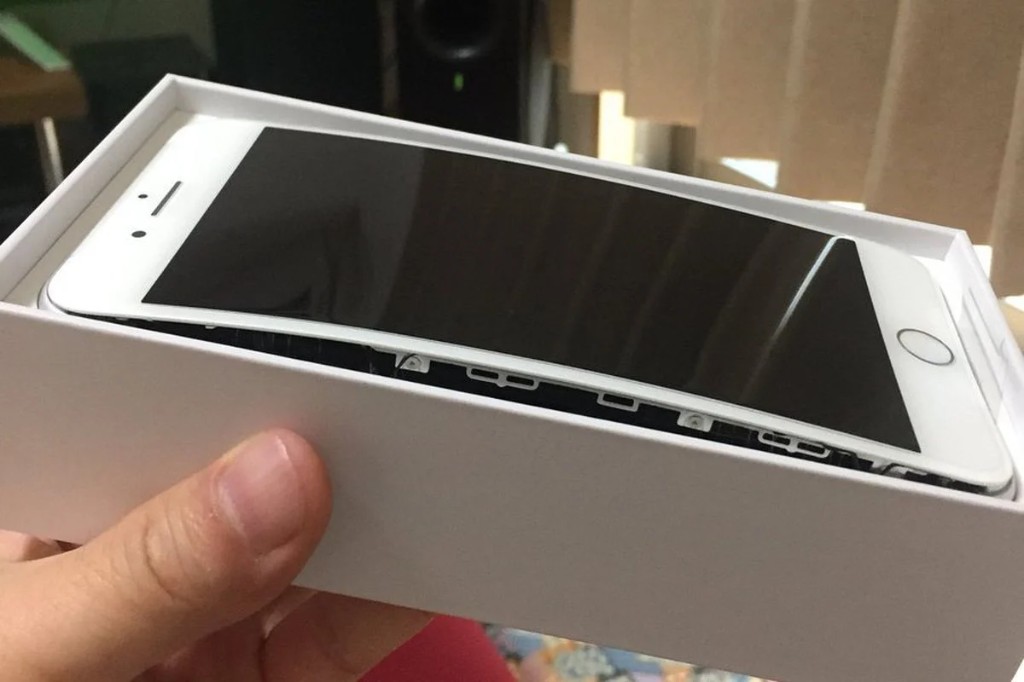
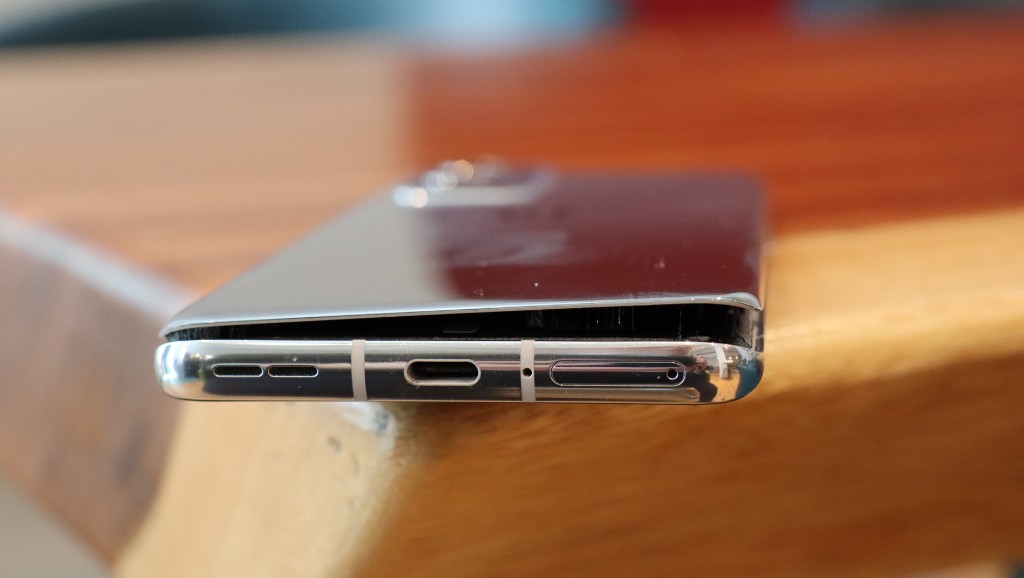
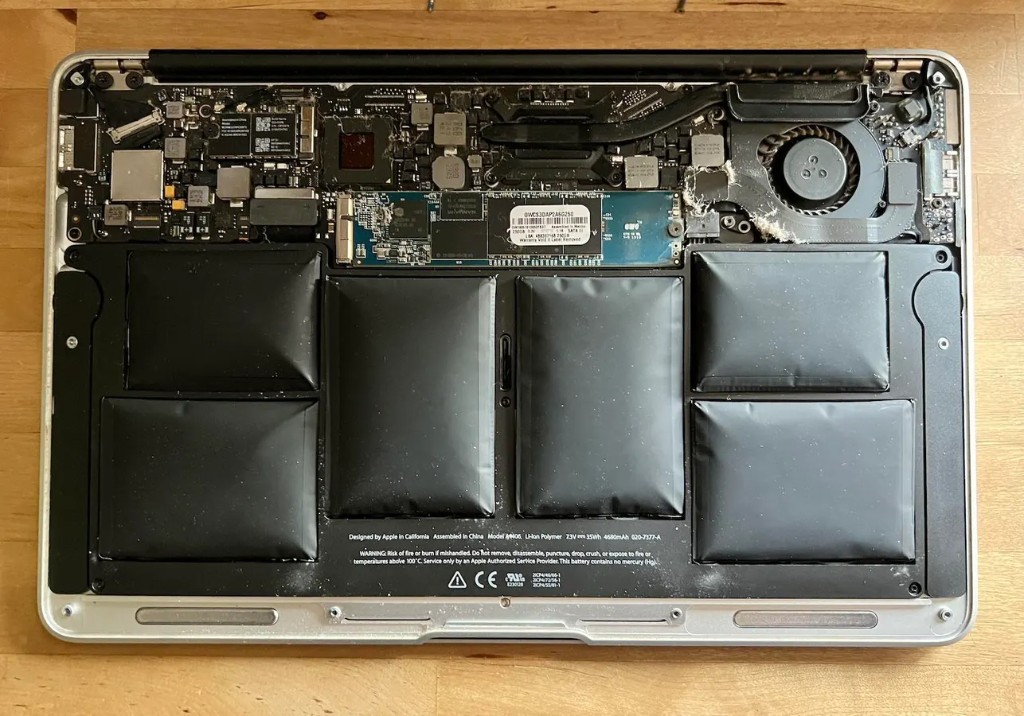
Early signs your battery is failing
Most people expect a bulge. The bulge is the late sign. The early ones show up in how the device behaves, and they are easy to blame on age or software.
Watch the charge first. A failing battery holds noticeably less than it did, drops in sudden jumps rather than steadily, shuts down while still showing charge left, or needs a charger permanently within reach.
Then watch the heat. A device that gets hot while charging, stays warm when you are not using it, or runs hot inside its case is under strain. Heat both signals a failing cell and accelerates it.
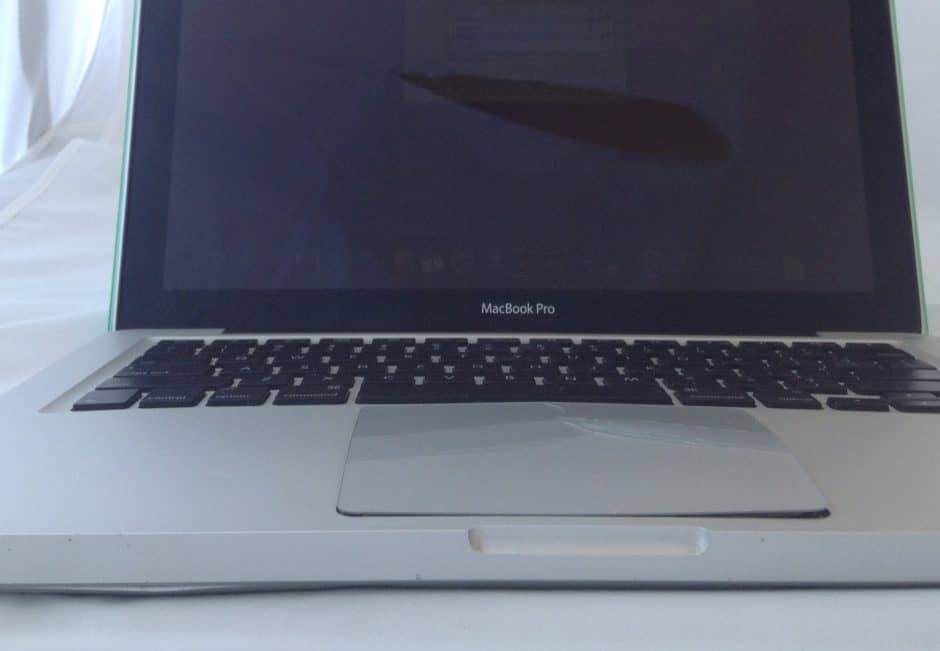
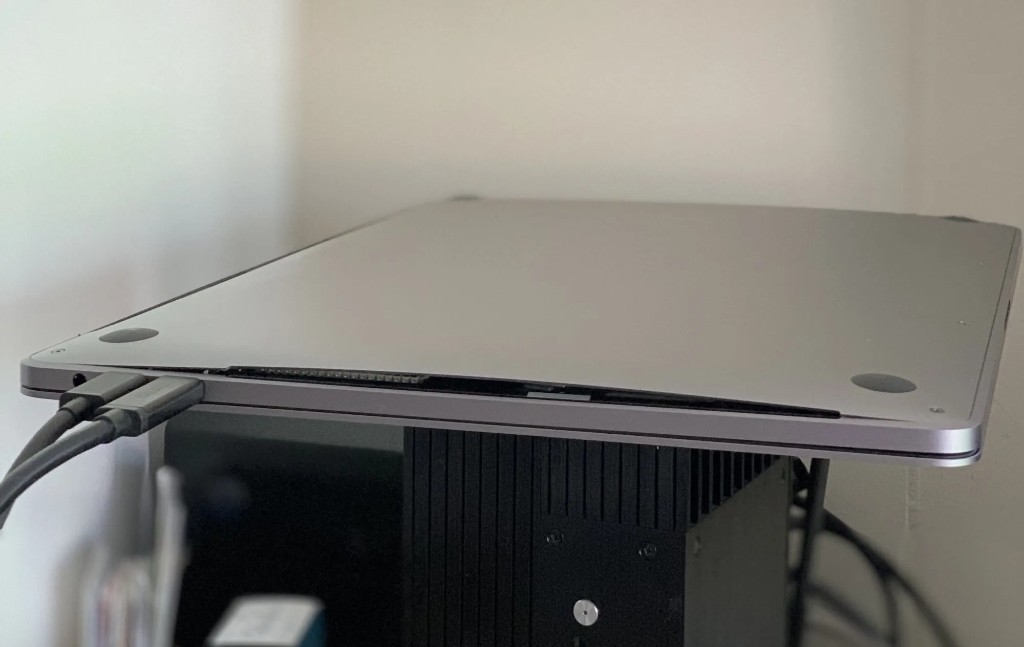
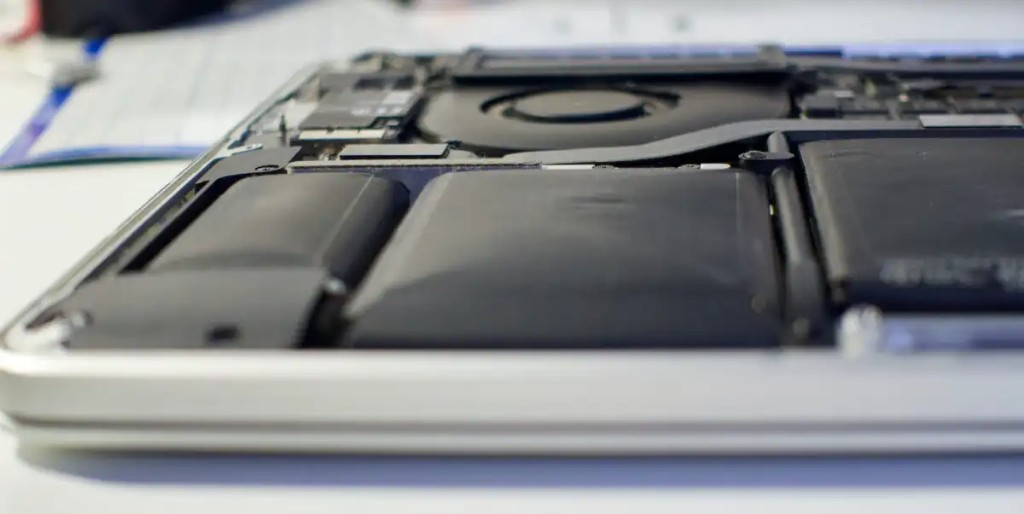
Swelling shows differently on each device:
- On a phone, the case stops clipping on, the phone rocks instead of lying flat, the back panel lifts from the frame, or a patch of the touchscreen stops responding
- On a tablet, the screen lifts out of the frame, usually at the bottom corners first, and gets visibly worse day to day
- On a laptop, the trackpad stops clicking properly because the cell sits directly beneath it. After that the lid stops closing flush, so the machine stops sleeping when you shut it
Be fair on that last one. A missing rubber foot or an uneven desk makes a laptop wobble too, so test it on glass before assuming the worst. And a swelling cell can look flat again once the device has cooled, which is how people talk themselves out of a real problem.
If a device overheats or catches fire
Overheating but not on fire. If a device is getting dangerously hot but hasn’t caught light, pull the plug out, as long as you can reach it safely. Move it away from anything that burns. Don’t pick it up if it’s too hot to hold. Put it on a hard surface, well clear of curtains, cushions and paper, and let it cool while you keep watching it.
Smoking, hissing or on fire. This is a house fire now, not a broken gadget. Get everyone out. Shut the door behind you. Stay out, and call 999. Lithium fires flare back up and the smoke is toxic, so don’t try to put it out yourself.
Should you take the battery out yourself?
No, not on any modern phone, tablet or laptop. London Fire Brigade’s instruction is direct: do not remove the casing or tamper with the equipment. The cell is glued in beneath components you would have to lever past, and a swollen one is under pressure and more fragile than a healthy cell, not less.
Use a certified repairer instead. Apple’s own position is that a MacBook battery should be replaced only by an Apple Authorised Service Provider, an Apple Store, or an Independent Repair Provider using genuine Apple parts. Other manufacturers run equivalent approved networks. They have the tools, and they will usually take the old cell away and dispose of it for you, which saves you transporting it anywhere.
Back up your data before the device goes in, and sort out anything sensitive beforehand rather than after. A repairer may need the device powered on to test the replacement.
If the device is otherwise healthy, ask what a replacement costs before writing it off. Sometimes a new battery turns something you were about to scrap back into something worth selling.
What to do with a swollen or damaged device
Stop charging it and stop using it. Do not press it, bend it, or try to push a lifted screen back down. Keep it off beds, sofas and carpets, and out of pockets and bags.
Put it in a sealed, non-flammable container and take it to a household waste recycling centre rather than a shop collection point. In-store bins are meant for undamaged items and staff can refuse it. North London Waste Authority’s instruction is the clearest we found from a named authority: seal a damaged lithium battery in a container and bring it to a recycling centre, where it will be handled safely. Ring ahead so they know it is coming.
You cannot post it. Royal Mail prohibits damaged or defective cells whether loose or inside a device. Prepaid return labels get issued for exactly these devices, and a label is not permission.
For loose batteries that are undamaged, your rights are strong. Under the Waste Batteries Regulations 2009, any shop selling more than about 32kg of portable batteries a year must take waste batteries back free, with no purchase required. Government guidance is explicit that this covers batteries out of mobile phones and laptops, and that shops must accept all types of portable battery, not only the ones they sell.
FAQs
Can I put electronics in my normal bin?
Do shops have to take my old device?
Is a factory reset enough before recycling a phone?
Where do I recycle a laptop if my council will not collect it?
Can I recycle lithium batteries at Tesco?
How do I dispose of a swollen battery in the UK?
What actually happens to my device after I recycle it?
Do I need to recycle chargers, cables, smartwatches and earbuds too?

Sell your device
Sell your preloved devices instantly at the best price on the market with same-day payment!
Sell Now