

MacBook Air vs MacBook Pro (2026): Which One Should You Buy?


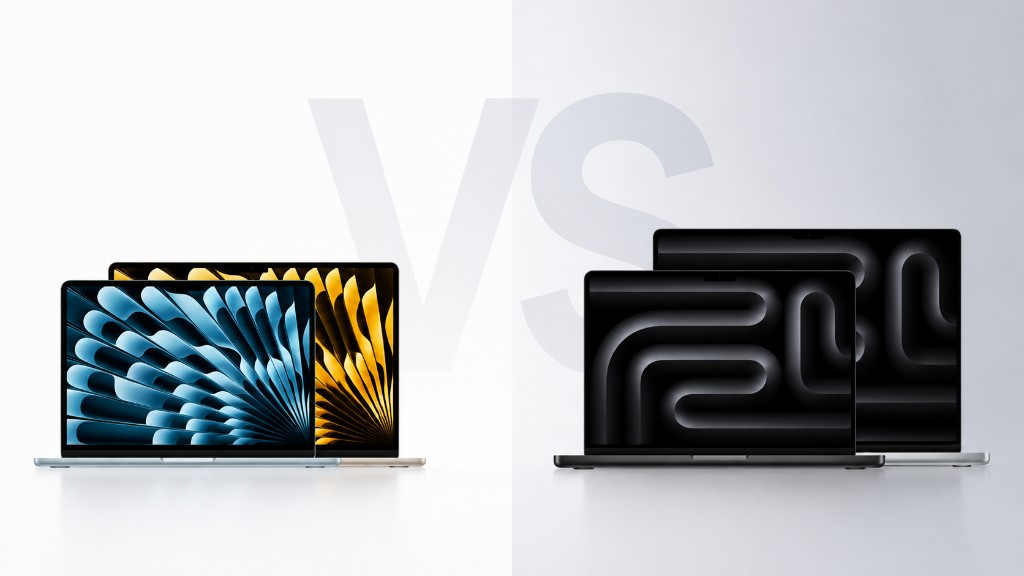
The MacBook Air is lighter, cheaper and silent, built for everyday browsing, writing and streaming. The MacBook Pro adds a brighter XDR display, faster sustained performance and more ports, built for video editing, coding and heavy multitasking. The MacBook Air vs Pro decision comes down to workload, not budget alone, and most people are better off with the Air. This guide covers which model fits which kind of work, how much RAM you actually need, whether the Air really overheats, and what each one is worth when you sell it. If you’re selling your current Mac to put towards the new one, get an instant quote for your MacBook before you decide.
Quick comparison
| MacBook Air | MacBook Pro | |
|---|---|---|
| Chip | M4 or M5 | M5, M5 Pro or M5 Max |
| Screen | 13" or 15" Liquid Retina | 14" or 16" Liquid Retina XDR |
| Cooling | Fanless, silent | Active cooling, sustained performance |
| Ports | 2x Thunderbolt | 3x Thunderbolt, HDMI, SD card slot |
| Battery life | Up to 18 hours | Up to 24 hours |
| Weight | From 1.24kg | From 1.55kg |
| UK price | From around £999 | From around £1,599 |
| Best for | Browsing, writing, students | Video editing, coding, heavy multitasking |
UK list prices correct as of July 2026. Apple updates pricing with each new chip release, check apple.com/uk for live figures.
Find Your MacBook to Sell
Choose your MacBook model to see what it's worth…
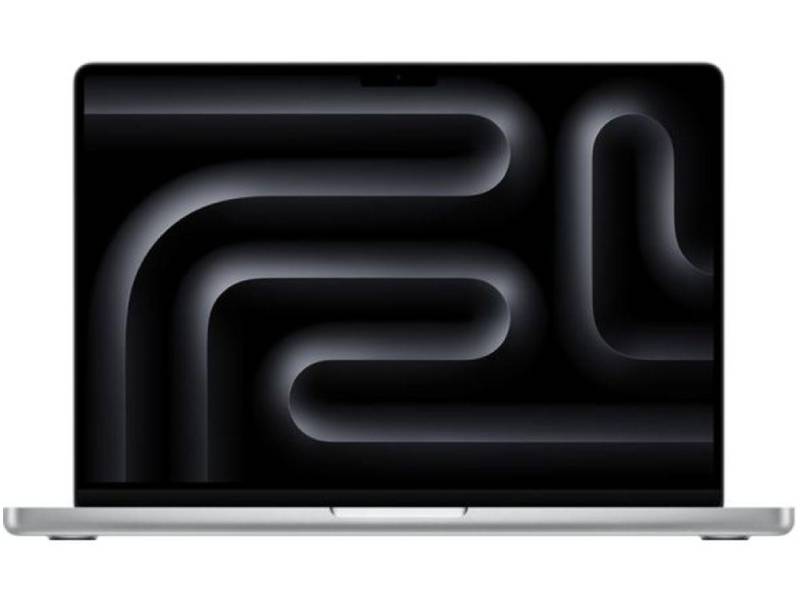
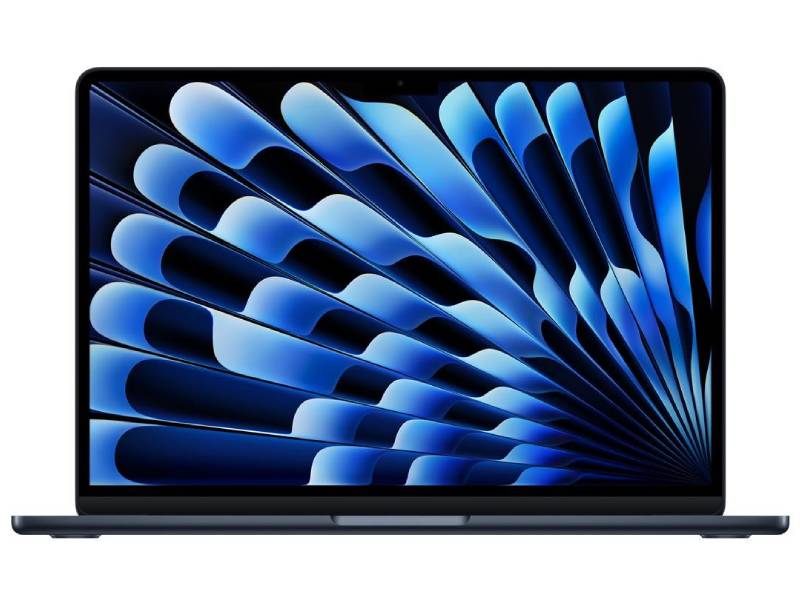
Which MacBook should you buy?
The right choice comes down to what you actually do with the laptop, not which one looks more impressive in the shop.
- Students and everyday use: the MacBook Air. It is light, silent, and more than capable of documents, browsing and streaming.
- Creative professionals: the MacBook Pro. Its brighter display and sustained performance handle video editing and design work without slowing down.
- Developers and heavy multitaskers: the MacBook Pro. More RAM headroom and sustained CPU performance keep large projects and multiple apps running smoothly.
- Budget-conscious buyers who still want a Mac: the MacBook Air. It covers the vast majority of daily tasks for £600 less.
For most people reading this, the Air is the right call. The Pro is a tool for people who already know they need it. The sections below break down why.
Performance: how the M-series chips compare
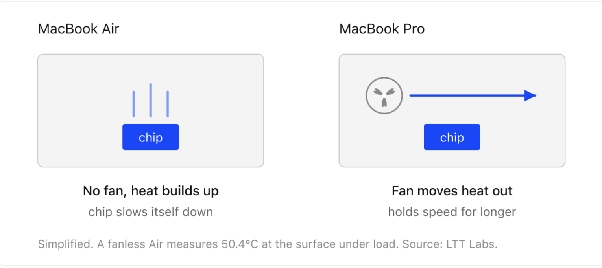
Both lines now run on Apple’s M-series chips, and the entry-level Pro and the newest Air sit closer in raw speed than they used to. The gap opens up under sustained load, where the chip has to keep working hard for minutes at a time rather than in short bursts.
- MacBook Air: handles browsing, office work and light editing without a stutter. May slow down during long, intensive tasks, since there is no fan to manage heat.
- MacBook Pro: built for sustained workloads like video editing, 3D rendering and compiling code. Pro and Max chip options add more GPU cores for creative and technical work.
Independent lab testing backs up the pattern: Laptop Mag’s benchmarks on the M4 MacBook Air recorded a Geekbench 6 score of 14,489, a 4K-to-1080p Handbrake transcode in 5 minutes 40 seconds, and BlackMagic SSD speeds of 3,456.2 MBps write / 3,018.4 MBps read. Fanless designs like the Air’s throttle under sustained load exactly where those numbers come from; the Pro’s active cooling holds its performance for longer once a task runs past a few minutes.
Say you edit a five-minute video once a month. The Air handles it, just slower near the end of the export. Now say you edit that video every day. The Air throttles on every export, and the minutes you lose start compounding into hours across a month. Same task, and the answer flips on frequency rather than difficulty.
Choose the Pro if your work regularly pushes the chip for more than a few minutes at a time. Everyone else will not notice the difference day to day.
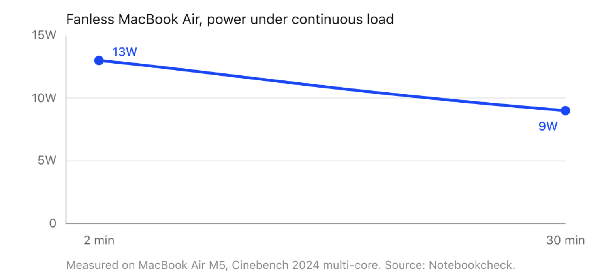
Does the Air actually overheat?
It runs warmer than the Pro, especially in a hot room or in direct sun. Owner reports on Apple’s own support community and MacRumors forums put the M4 Air’s throttle point around 90°C, with real-world spikes toward 80°C in rooms above 25°C during graphics-heavy work like Figma or Photoshop. One owner on Apple’s support community put it plainly: “My brand new MacBook M4 15” frequently overheats, especially when using Figma or Photoshop. Temperatures regularly reach around 60°C, and can spike up to 80°C if the room temperature is above 25°C."
What that means in practice: the chip slows itself down to manage the heat, it doesn’t crash or shut off. For browsing, writing and everyday multitasking, the Air stays comfortably below that range and you’ll never notice it. It’s only sustained, heavy workloads in a warm environment where the fanless design shows its limit.
How much RAM do you actually need?
Less than the spec sheet makes it look like. For browsing, email, streaming and office work, which covers most people buying either of these MacBooks, 8 to 16GB is genuinely enough. For example, thirty browser tabs, Slack, Spotify and a Word document open at once sits comfortably inside 16GB on Apple Silicon. The jump to 32GB and beyond earns its keep somewhere specific: a developer running Docker containers alongside an IDE and a local database, or an editor scrubbing multi-track 4K timelines, will hit the ceiling on 16GB and feel it immediately.
Since Apple Silicon RAM is soldered in and can’t be upgraded later, buy for the workload you actually have, not the one you might have someday. Overpaying for 64GB you’ll never touch is money better spent on storage or saved outright.
Price in the UK
Price is where the Air pulls ahead. The MacBook Air starts from around £999, while the MacBook Pro starts from a jump of £600 before you add any extra storage or memory, and higher Pro and Max configurations can pass £3,000. If you’re weighing a new purchase against what your current model is worth, get a free quote for your MacBook Air first, vendi typically pays 40-50% more than local shop trade-ins.
That £600 is worth converting into something concrete. It covers an external monitor and a keyboard, or roughly three years of iCloud storage, or a large chunk of next year’s upgrade if you sell this machine on. Spent on a Pro you don’t push, it buys performance that sits idle.
The Air is the better-value everyday laptop. The Pro only earns its price if you need the performance behind it.
Design and portability
The Air is Apple’s lightest laptop, just 1.24kg and 11mm thick, with no fan and no noise. The Pro runs from 1.55kg to 2.15kg, its thicker body housing the cooling system that lets it work harder for longer.
That gap sounds small written down. In practice, a 16-inch Pro adds 910g over a 13-inch Air, roughly a full water bottle in your bag every day. Anyone commuting with a laptop notices by week two.
Upside of the Air: you stop thinking about whether to bring it. Downside: the same thin body is what forces the chip to slow down under load, so portability and sustained speed are the same trade-off viewed from two ends.
Display: Liquid Retina vs Liquid Retina XDR
The Pro’s screen is the biggest gap between the two lines. Its Liquid Retina XDR display reaches 1,000 nits of sustained brightness (1,600 nits for HDR content) and adds ProMotion for a smoother 120Hz refresh rate. The Air’s Liquid Retina display is sharp and colour-accurate at 500 nits, more than enough for everyday use, but it does not support HDR content.
Double the brightness matters in two situations most people can picture: working outside or by a bright window, and grading footage where you need to see detail in the highlights. For example, a colourist checking whether a sky is blown out needs the headroom the XDR panel has and the Air’s panel does not.
Upside of the XDR panel: colour-critical work you can trust without an external monitor. Downside: for documents, browsing and streaming, you are paying for brightness you will never call on.
Battery life
Both MacBooks comfortably outlast a full working day. The Air is rated for up to 18 hours; the Pro pushes past 24 hours in testing, helped by a larger battery built to power its brighter screen and faster chip.
Those are streaming figures, not working figures. A realistic day of email, calls, a dozen tabs and a spreadsheet lands well under the rating on both machines, and heavy work cuts it further. For example, exporting video will drain either laptop in a few hours rather than the advertised day.
The practical difference is narrower than 18 versus 24 suggests. Both get a normal working day done without a charger, so battery is rarely the deciding factor between these two.
Ports and connectivity
The Air keeps things minimal: two Thunderbolt ports and a headphone jack, plus MagSafe charging. That is enough for a mouse and a monitor, and not much else without an adapter.
- MacBook Air: 2x Thunderbolt 4, MagSafe, headphone jack.
- MacBook Pro: 3x Thunderbolt (Thunderbolt 5 on higher-spec models), full-size HDMI, SD card slot, MagSafe, headphone jack.
If you plug in external displays, cameras or memory cards regularly, the Pro’s extra ports save you from carrying a dongle. A photographer offloading a shoot is the clearest case: the Pro takes the SD card directly, while the Air needs a reader in the bag every time.
Sidenote. A £30 hub closes most of this gap, so ports alone rarely justify the £600 jump. They matter when you are plugging in several times a day, not occasionally.
What about an iPad instead?
Students in particular often widen the question to iPad vs MacBook rather than just Air vs Pro. An iPad Pro covers note-taking, reading and light browsing in a lighter, cheaper package, but it still can’t replace a full desktop-class OS for coding, spreadsheets with heavy macros, or professional video editing. We cover that comparison in full, including where an iPad genuinely beats a MacBook and where it falls short, in our iPad Pro vs MacBook Pro comparison.
Is the MacBook Neo worth considering?
Apple’s MacBook Neo sits below the Air on price, trading some performance and screen quality for a lower entry cost. It suits light browsing and basic schoolwork better than it suits anyone who was already comparing Air and Pro for real work. If your budget is the main constraint rather than the workload, it’s worth a look before you commit to an Air. You can sell your old MacBook Neo the same way as an Air or Pro once you’re ready to upgrade.
Which MacBook holds its value better when you sell it?
Vendi’s own quote pages for MacBook Air and MacBook Pro show this more clearly than a general rule of thumb. Each page lists the top quote, as of July 2026, for a new, sealed unit at maximum spec, by generation:
| Generation | MacBook Air (15") | MacBook Pro (16", Max chip) |
|---|---|---|
| Current (M5 / M5 Max, 2026) | up to £1,100 | up to £1,600 |
| Previous (M4 / M4 Max, 2024-25) | up to £920 | up to £1,540 |
| Two generations back (M3, 2024) | up to £820 | £667* |
| Three generations back (M2, 2022-23) | up to £690 | £827* |
* Base configuration (lowest memory/storage), from the individual model page, not vendi’s summary table.
These are “up to” figures for the best condition and highest configuration (base configuration for the two starred rows), not a flat price, and they move with the market. Select your exact model and condition in vendi’s quote tool to see today’s live number before you commit to selling.
The steepest drop happens the moment Apple ships the next chip, not gradually over years. Vendi’s own pricing guidance on its MacBook Pro page states the pattern plainly: prices typically soften 5-10% in the 3-6 months before a new release, then drop a further 10-15% once the successor actually launches. That tracks with the MacBook Pro 16" M4 Max, which launched in November 2024 at £3,499 to start; by the time the M5 Max succeeded it roughly a year later, vendi’s top quote for that same M4 Max, in full working order at top spec, had dropped to £1,540. The device didn’t get worse. The chip inside it got older.
That’s the practical case for upgrading on a schedule rather than waiting: sell while your model is still the current or previous generation, not two or three chips behind, since that’s where the resale ceiling drops hardest. Storage and configuration still matter more than age alone, a well-specced Air in great condition can still be worth more than a heavily used base Pro.
Real sellers back this up. Nicky L, a verified 5-star reviewer on Trustpilot, sold a brand new, boxed MacBook Pro through vendi in February 2025: “I looked online to see who could give me the best price and Vendi offered the top price… Vendi emailed as soon as it arrived and after providing some ID they emailed me again to say the money would be in my account straight away. I checked my account and I got the full amount quoted in the beginning and £10 towards a postage.”
If you’re already planning to upgrade, get an instant quote for your MacBook Air or get an instant quote for your MacBook Pro before the next generation lands, not after. vendi pays the same day your device arrives, with £10 towards postage either way.
Final verdict
Buy the MacBook Air if you want the lightest, quietest, most affordable MacBook, and your work is mostly browsing, writing and streaming. Buy the MacBook Pro if your work regularly pushes the chip: video editing, 3D work, or compiling code for long stretches.
Be honest about your workload, not the one you imagine having. Pick the 16GB Air unless you can name the specific software that needs more. Sell your current MacBook while it’s still the current or previous generation, before the next chip drops the price.
FAQs
Is the MacBook Air powerful enough for most people?
Is the MacBook Pro worth the extra money?
Which is better, MacBook Air or MacBook Pro?
MacBook Air 15-inch or MacBook Pro 14-inch, which should I pick?
Why buy a MacBook Pro instead of the Air?
Should I get an iPad instead of a MacBook?
Is the MacBook Neo a good alternative to the Air or Pro?
Upgrading to a new MacBook? Sell your old MacBook Air or MacBook Pro for an instant quote, free postage, and same-day payment.

Sell your device
Sell your preloved devices instantly at the best price on the market with same-day payment!
Sell Now